Gemini Notebook can now turn sources into interactive sites
Google says users can ask Gemini Notebook to build explainers, dashboards and trackers from their material, with a web rollout starting now and mobile support to follow.
- What happened
- On 16 November, Google announced that Gemini Notebook can generate interactive sites from the sources a user has added.
- What’s new
- Users can now ask Gemini Notebook for a site in its chat, then open the result in a separate tab or share it.
- Why it matters
- Google pitches the feature as a way for people at work or in study to make sense of complex material.
Google announced on 16 November that Gemini Notebook can now generate interactive sites from a user's notes, research and other sources. Google presents the feature as a way to make complex information easier to understand.
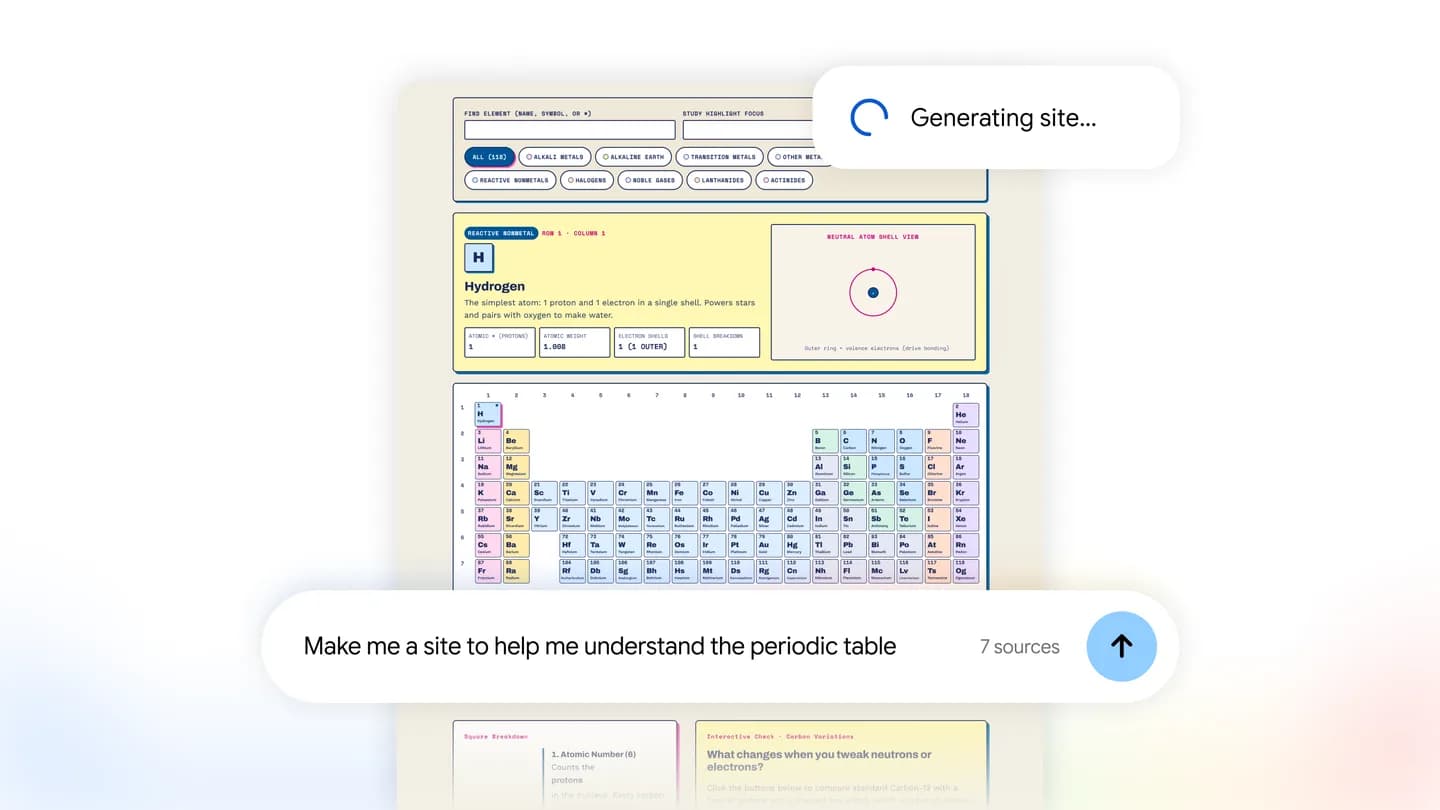
To use it, a person types "make me a site" into the Gemini Notebook chat and describes what they want for work or study. Google gives three kinds of example: visual explainers for exam preparation, such as an interactive periodic table or a historical timeline; interactive dashboards for exploring data, such as quarterly sales figures; and project management trackers for listing tasks and deadlines.
Once the site has been generated, users can choose the option to open it in a new tab and interact with it there. They can also share it with other people.
According to Google, the feature is rolling out worldwide on the web to Gemini Notebook users aged 18 and over, including Google Workspace subscribers. Google says the feature is coming soon to the mobile app but has not given a date.